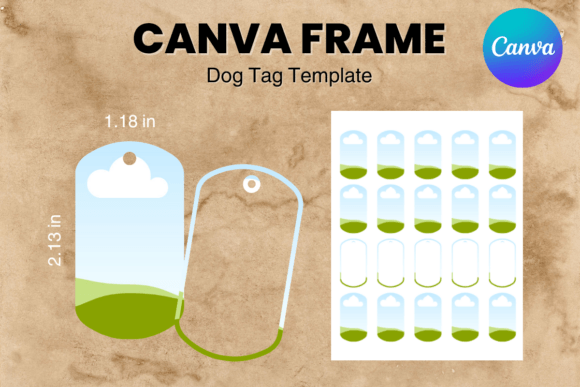
Create Custom Pet Tags: The Dog Tag Canva Frame Template
In the world of pet branding and custom merchandise, efficiency is just as important as aesthetics. For designers, entrepreneurs, and pet lovers looking to create high-quality identification tags without spending hours on file setup, the Dog Tag Canva Frame Template Pet Tag_2 offers a streamlined solution. This digital asset is designed specifically to bridge the gap between professional printing requirements and user-friendly editing, allowing you to produce polished designs in minutes.
Understanding the Digital Asset
First, it is crucial to understand exactly what you are purchasing. This is a digital file—no physical product will be shipped to your door. Upon purchase, you will receive a single PDF file. This document contains a private link that grants you access to the 17 custom-made Canva frame templates. These templates are hosted on Canva, meaning you do not need to download heavy software or deal with complex installation processes. You simply click the link, and the templates open directly in your browser-based Canva editor.
The design specifications are tailored for standard production needs. The overall paper size is set to 8.5×11 inches, which is compatible with most home printers and standard commercial printing sheets. However, the individual frames are sized at approximately 1.18 × 2.13 inches. This is a critical detail for anyone working with sublimation or vinyl cutting, as it ensures the final product fits standard dog tag bezels and blanks available on the market.
The Power of Editable Canva Frames
Unlike static image files such as PNGs or SVGs, the Dog Tag Canva Frame Template Pet Tag_2 is fully editable. This distinction changes the workflow entirely. Because these are Canva templates, you have complete control over the design elements. You can easily drag and drop your own photos, adjust colors to match a specific brand identity, and add custom text using Canva’s vast library of typefaces.
The templates feature a transparent layer, which is essential for professional sublimation printing. This ensures that when you transfer your design onto the metal tag, only your artwork transfers—there are no unwanted white boxes or background colors unless you specifically design them in. This level of precision is vital for creating a premium look, whether you are making tags for a local pet shelter, a veterinary clinic, or an Etsy shop.
Practical Applications for Entrepreneurs and Designers
For small business owners and creative professionals, this template pack serves as a robust design asset. If you run a pet accessory business, speed to market is a competitive advantage. Instead of commissioning a graphic designer for every new batch of tags, you can use the Dog Tag Canva Frame Template Pet Tag_2 to prototype and finalize designs internally. This allows you to offer personalized products—such as tags with a pet’s name and owner’s contact info—quickly and cost-effectively.
Furthermore, the flexibility of the template sizes cannot be overstated. The instruction that sizes are "approximate and can be sized up or down to suit your needs" opens up possibilities beyond standard dog tags. You can scale these frames to create charms for cat collars, decorative elements for scrapbooking, or even digital stickers for social media branding. The modern typography and clean layout potential make it a versatile tool for various marketing materials.
Streamlining Your Workflow with Drag & Drop
The "drag & drop" nature of this product is its strongest selling point for those who may not be advanced in graphic design software like Adobe Illustrator or Photoshop. Canva democratizes design, and this template leverages that accessibility. You can maintain visual hierarchy and consistency across a series of tags by duplicating pages within the file. If you are creating a set of matching tags for a litter of puppies or a corporate event for a pet brand, you can ensure every piece looks uniform and professional.
It is important to note that while the templates are easy to use, the quality of the output depends on the resolution of the images you upload. Since the frames are designed for print, always upload high-resolution photos to avoid pixelation when the tag is printed. The template handles the framing; you provide the content. This separation of concerns allows you to focus on the creative aspect—choosing the right colors, fonts, and imagery that resonate with your target audience.
Finalizing Your Design for Production
Once your design is complete within the Dog Tag Canva Frame Template Pet Tag_2, the export process is simple. You will download your work as a PDF for print or a high-quality PNG, depending on your specific printing method. For vinyl sublimation, a PNG with a transparent background is often preferred, which this workflow supports perfectly.
In summary, this digital product is more than just a set of outlines; it is a production-ready tool for anyone in the pet industry. It combines the precision of professional design specifications with the accessibility of modern, web-based editing. Whether you are a hobbyist making tags for your own pets or a business owner scaling up your inventory, this template provides the structure and flexibility needed to get the job done right.