Totebag Canva Mockup: Realistic Tote Bag Templates
As a designer or small business owner, you know the drill: you’ve just finished a beautiful pattern or a striking logo, and now you need to see it on a physical product. For years, this meant wrestling with complex Photoshop files or waiting for expensive physical samples. The Totebag Canva Mockup changes that dynamic entirely. It’s a digital asset designed specifically for those who need professional, realistic product visualizations without the steep learning curve or software costs. This isn't just a static image; it's a dynamic tool built for Canva, the platform where most creative entrepreneurs already live and work.
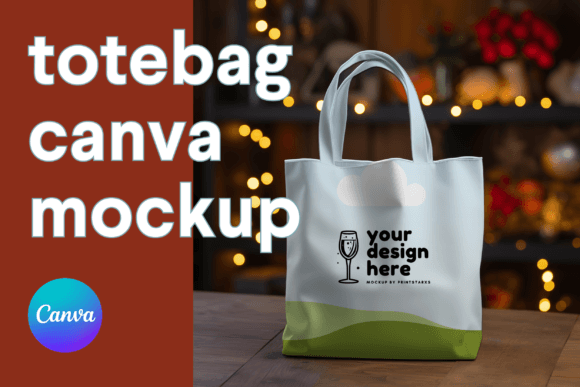
The core of this offering is its simplicity and power. You receive high-resolution files—a PNG with a transparent background and a JPG—that are print-ready at a massive 4096x4096 pixels. This size is crucial. Whether you’re creating a mockup for a client presentation, a social media post that needs to look sharp on retina displays, or a product image for an e-commerce site, the quality holds up. The transparent PNG is particularly valuable. It allows you to place your tote bag design onto any background, be it a solid color, a lifestyle scene you’ve photographed, or a digital pattern, integrating it seamlessly into your brand’s visual world.
Why a Canva-Based Mockup Streamlines Your Workflow
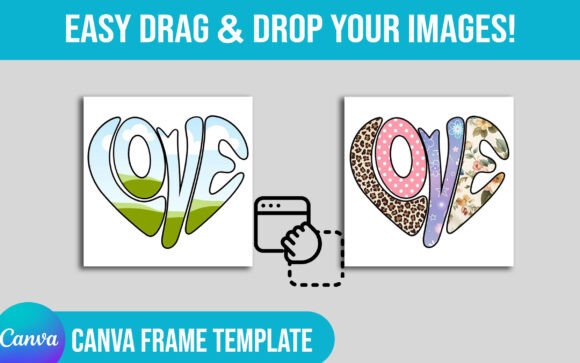
The real magic, however, lies in the included Canva template link. This is where the Tote Bag Mock Up transforms from a static asset into an interactive design partner. The template is built with Canva’s native features, meaning you can edit the bag’s color and drag-and-drop your own patterns directly onto the canvas. Think about the implications for brand consistency. If your brand palette is a specific shade of sage green, you can match the bag to that exact hex code. If you sell patterned designs, you can instantly see how they wrap and drape on a realistic bag form, checking scale and repeat before a single item is produced.
This approach solves a common pain point in the design process: visualization. A flat pattern swatch can look entirely different when applied to a three-dimensional object with folds and shadows. This mockup provides that crucial context. It helps you make better design decisions, communicate more effectively with clients or manufacturers, and market your products with greater confidence. The drag-and-drop functionality is intuitive, meaning you spend less time learning a new tool and more time creating. It’s a practical bridge between your digital design and the physical product it will become.
Practical Applications for Designers and Entrepreneurs
So, who is this for, and how can they use it? The applications are broader than you might initially think. For the graphic designer or brand strategist, this is an essential part of your design assets toolkit. When developing a brand identity, you can present logo applications on merchandise with stunning realism. Instead of a flat logo on a slide, you can show a client their logo on a tote bag, instantly elevating the pitch and helping them visualize the brand in the real world. This level of detail in editorial design or packaging presentations can be the difference between a good proposal and a great one.
For the small business owner, especially one in e-commerce or print-on-demand, the value is direct and commercial. You can create professional product images for your website or marketplace listings without hiring a photographer for a full shoot. Use the mockup to showcase new designs on social media graphics, giving your feed a cohesive and polished look. The ability to quickly change the bag color and pattern means you can generate a library of product images for an entire collection in a single afternoon. This isn't about replacing photography forever, but it's an incredibly powerful tool for initial launches, testing market interest, and maintaining a consistent online presence.
Evaluating This Mockup for Your Project
When considering a digital download like this, think about your specific needs. The high-resolution PNG and JPG files are a given for quality. The key differentiator is the editable Canva link. This makes the asset accessible to anyone with a free or pro Canva account, which is a significant portion of the creative and entrepreneurial market. It democratizes product mockups, moving them out of the realm of specialized software users.
Before purchasing, consider how this aligns with your workflow. Do you create designs for clients? This mockup will streamline your approval process. Do you sell patterns or graphics? It’s a perfect way to demonstrate application. Do you run a small shop? It’s a cost-effective content creation tool. The style of the mockup itself is modern and clean, focusing attention on your design rather than distracting with an overly stylized background. It’s a blank canvas—literally—waiting for your creative input. By providing both static files and an interactive template, this Totebag Canva Mockup offers a complete solution for bringing your tote bag designs to life digitally, saving you time, enhancing your professionalism, and ultimately helping you sell your ideas more effectively.