Mastering Aesthetic Junk Journals with Canva Overlays
The Art of Controlled Chaos
There is a specific satisfaction in creating a junk journal that looks effortlessly vintage without the actual decades of aging. If you are familiar with the aesthetic, you know it involves layers, textures, and a sense of history. However, starting with a blank page can be daunting. This is where the A4 Grey Junk Journal DIY Overlay Canva set becomes an essential tool in your creative arsenal. It bridges the gap between raw creativity and professional design, offering a foundation that feels tactile and organic, even though it is entirely digital.
The visual language of this template set is defined by its restraint. By utilizing a grey toned palette, these overlays act as a neutral canvas that allows your focal points to shine. Unlike stark white backgrounds which can feel sterile, or heavy black borders which can be overpowering, the grey provides a "dusty" atmosphere. It mimics the look of aged newsprint or worn stone. The "grunge" aspect is subtle; it is not about destruction, but about texture. The borders feature distressed edges and uneven lines that suggest the paper has been handled, stored in a drawer, and retrieved to tell a story. This rustic quality is crucial for junk journaling, where the goal is to make digital prints look like physical ephemera.
Practical Applications for Modern Creators
While "junk journal" is in the name, the utility of these design assets extends far beyond personal scrapbooking. As a content creator or entrepreneur, the texture of your visual communication matters. In an era of sleek, flat digital design, introducing elements with tactile depth can significantly increase engagement. These Canva templates are versatile enough to be integrated into various professional workflows.
For brand identity, particularly for brands leaning into an artisanal, handmade, or vintage aesthetic, these overlays are gold. Imagine a coffee roaster or a vintage clothing reseller using these grey frames to house their product photography. The texture aligns with the brand's story. In editorial design, such as a blog post header or a social media graphics carousel, the overlays can create a "magazine cut-out" effect that draws the eye. They are also highly effective for packaging design inserts or thank-you cards that accompany physical products. The A4 Grey Junk Journal DIY Overlay Canva files provide a structured yet flexible way to add this professional grit to your work.
- Scrapbooking & Memory Keeping: Create cohesive backgrounds for photos without overpowering the image.
- Card Making: Design greeting cards with a vintage, mixed-media feel that prints beautifully on home printers.
- Digital Products: Use them as frames for digital planners or stickers sold on Etsy or Creative Market.
- Web Design Elements: Utilize the textures as backgrounds for specific website sections to add warmth and break up digital monotony.
Design Mechanics and Visual Hierarchy
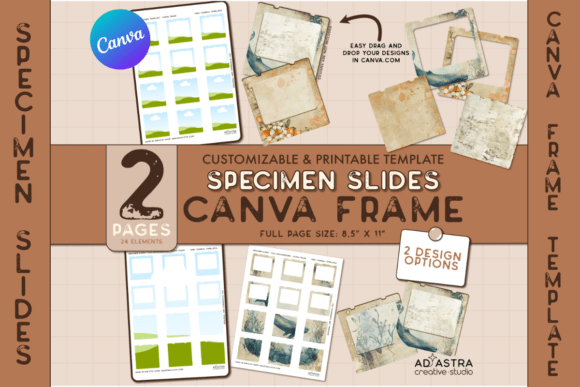
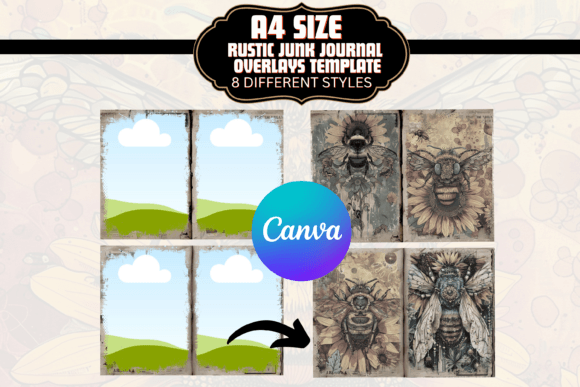
Understanding how to manipulate these templates is key to unlocking their potential. The set includes 8 different borders/overlays, each offering a unique variation of the grunge aesthetic. When you open the PDF file and access the link, you are taken into the Canva editor. Here, the "layers" mentioned in the description become your playground. To maintain strong visual hierarchy, you must treat the overlay as the background element, not the main event.
One common mistake in using display font styles or heavy overlays is clutter. Because these templates have distinct edges, you need to be mindful of readability. If you are placing text over the overlay, ensure there is enough contrast. The grey tone works exceptionally well with both black text for a classic look, or cream/off-white text for a softer, vintage vibe.
Consider the font pairing for your project. If you are using the overlay to frame a photo, the typography you choose for the caption will define the mood.
- The Editorial Look: Pair the grunge overlay with a clean sans serif font. This contrast between the rough texture of the border and the clean lines of modern typography creates a sophisticated, high-fashion editorial feel.
- The Rustic Vibe: Combine the overlay with a script font or handwritten font. This amplifies the personal, intimate nature of the journal, making it feel like a genuine diary entry.
- The Vintage Ad: Use a serif font with high contrast. This mimics early 20th-century print advertising, playing into the "aged" nature of the grey borders.
The "DIY" aspect is also critical. These are not static images; they are customizable Canva templates. You can adjust the transparency, crop them to fit non-A4 dimensions, or even layer multiple overlays to create a denser, more complex texture. This flexibility is what makes them a premium font alternative in terms of value—they serve as structural design elements rather than just text. Whether you are designing for print or screen, the 300 DPI resolution ensures that your print design remains crisp, avoiding the pixelation that often plagues free resources.
Ultimately, the A4 Grey Junk Journal DIY Overlay Canva set is about control. It gives you the aesthetic of randomness with the precision of digital tools. It allows marketers, bloggers, and hobbyists alike to introduce a human element into their work. By using these overlays, you aren't just adding a border; you are adding context, mood, and a tactile quality that invites the viewer to look closer. It is a practical solution for anyone looking to elevate their visual storytelling without needing advanced skills in software like Photoshop.